









Everything you need to know about upcoming mRED display updates
Coming this month, MRED will be introducing new required listing input fields which will impact how your listings are displayed on 3rd-party websites outside of the MLS. These updates impact both private and standard listings and include changes to Virtual Office Website (VOW) feeds and Internet Data Exchange (IDX) feeds.
Get ready for these updates by reviewing the information below, including the updated forms and contracts that will soon be released.
Quick Links
Jump to different sections on this page by clicking the links below.
- What is changing in the MLS?
- What forms are changing?
- What are VOW and IDX?
- Why is MRED making these changes?
- Who do I contact with questions?
What is changing in the mls?
FOR PRIVATE LISTINGS:
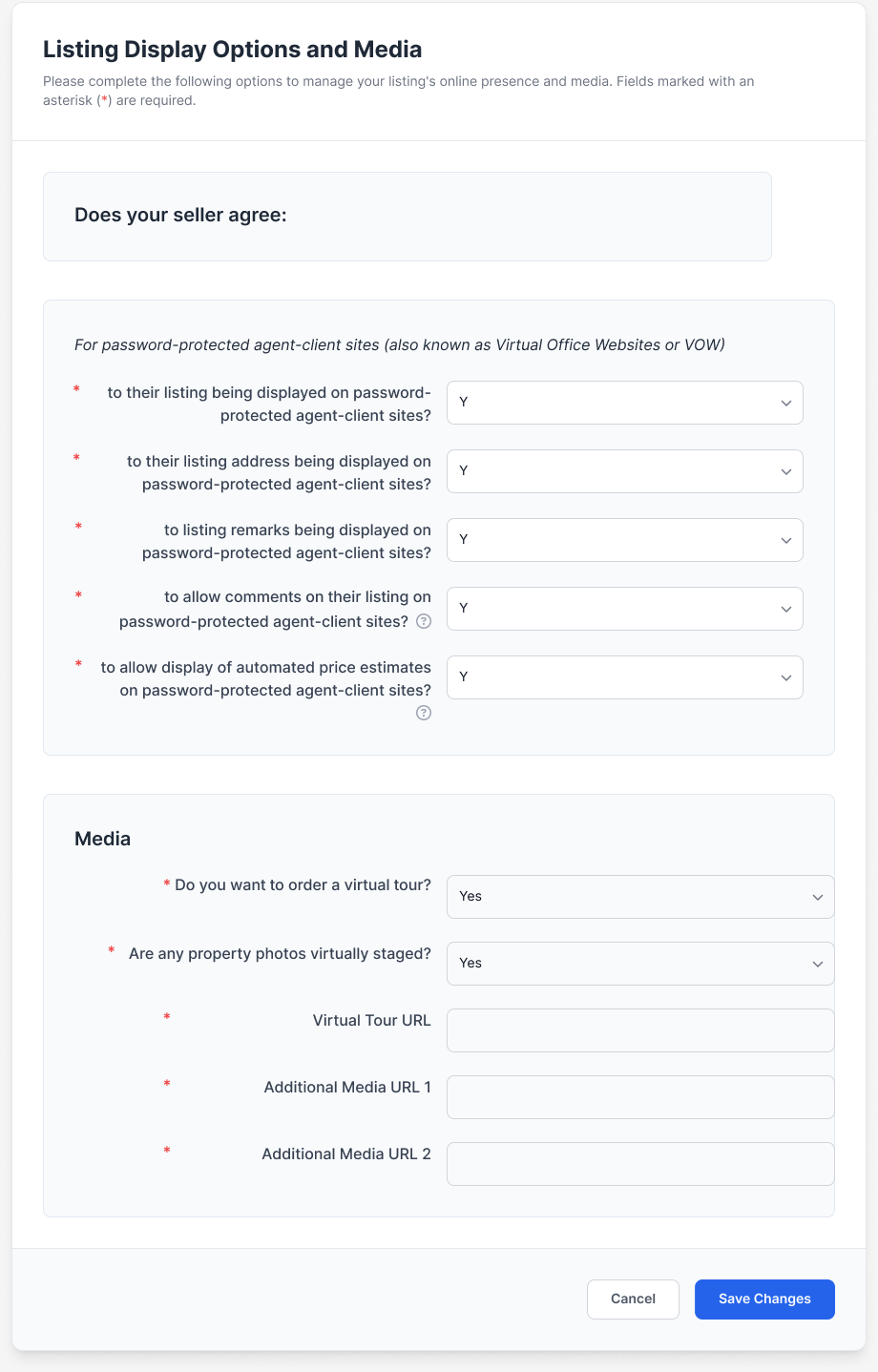
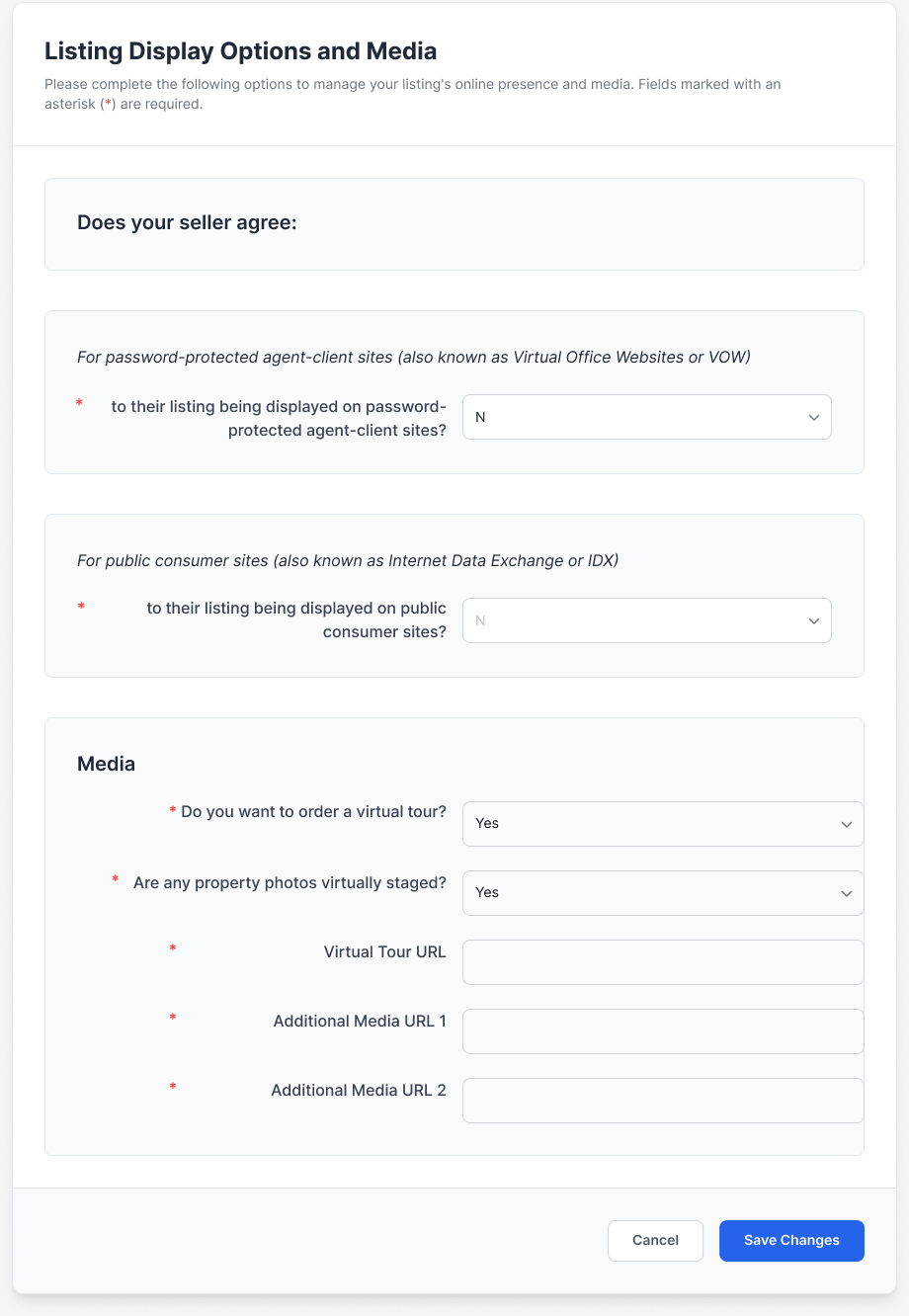
MRED is introducing new fields in the Media tab that will allow a private listing to display on virtual office websites (VOW) feeds, so long as the listing agent has the permission of the seller to display the listing on such websites outside of the MLS.
Additionally, if a seller agrees to display their private listing on a VOW feed, the seller has additional controls around whether to:
- Display their listing address
- Display the listing remarks
- Allow for comments
- Allow for automated price estimates of their property
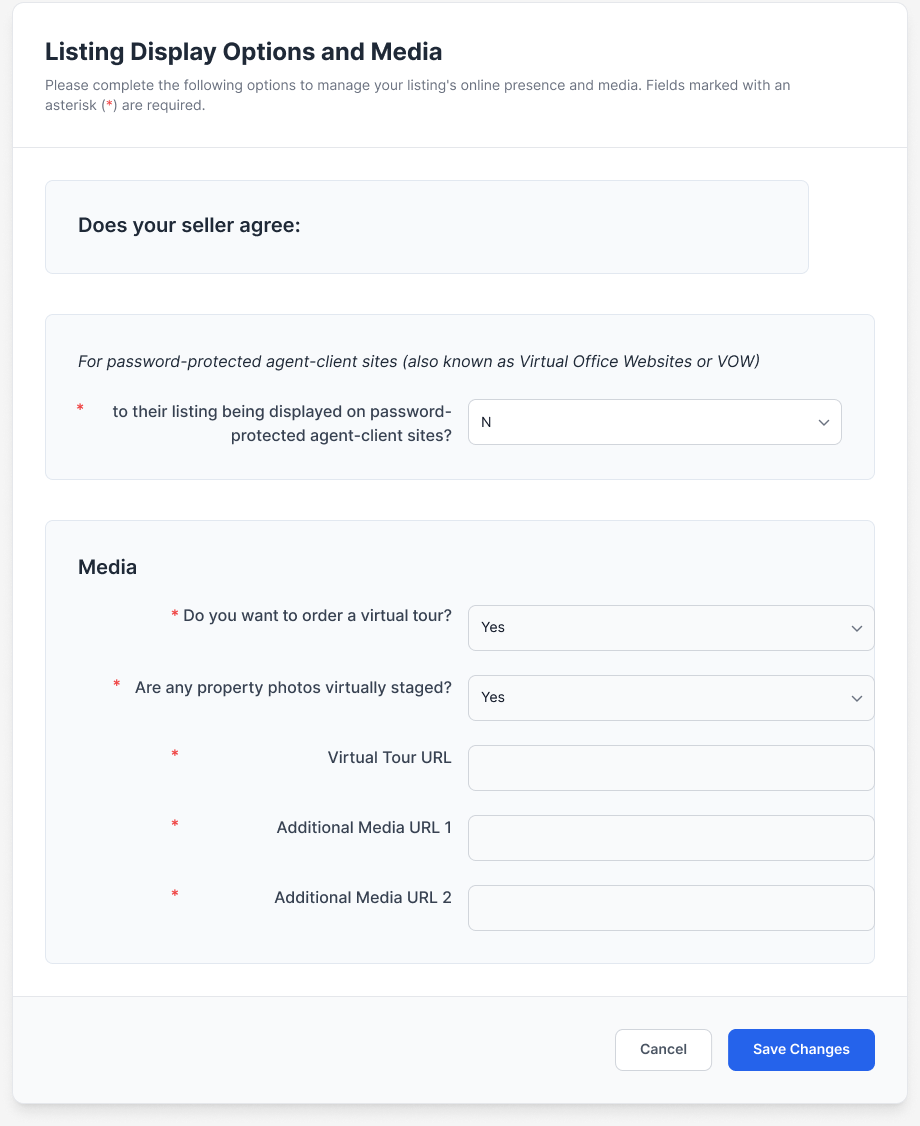
Each of these fields can be individually controlled based on the seller’s direction. If a seller does not agree to display their private listing outside of the MLS via a VOW feed, then answering “No” to the first question will hide all remaining fields.
Get a closer look at the new field options below.
Click to expand examples of the Listing Display Options and Media tab
See below for an example of what it looks like when someone selling their home agrees to display the private listing outside of the MLS via a VOW feed, along with all of the display options.
See below for an example of what it looks like when someone selling their home does not agree to display the private listing outside of the MLS via a VOW feed.
For Standard Listings:
MRED will be introducing a revised Media tab, which will provide greater flexibility on how a standard listing displays on both virtual office websites (VOW) feeds and public consumer websites/portals, also known as Internet Data Exchange (IDX) feeds.
The seller can first decide if they agree to display their standard listing online via a VOW feed. If a seller agrees to display their standard listing on a VOW feed, the seller has additional controls around whether to:
- Display their listing address
- Display the listing remarks
- Allow for comments
- Allow for automated price estimates of their property
Each of these fields can be individually controlled based on the seller’s direction.
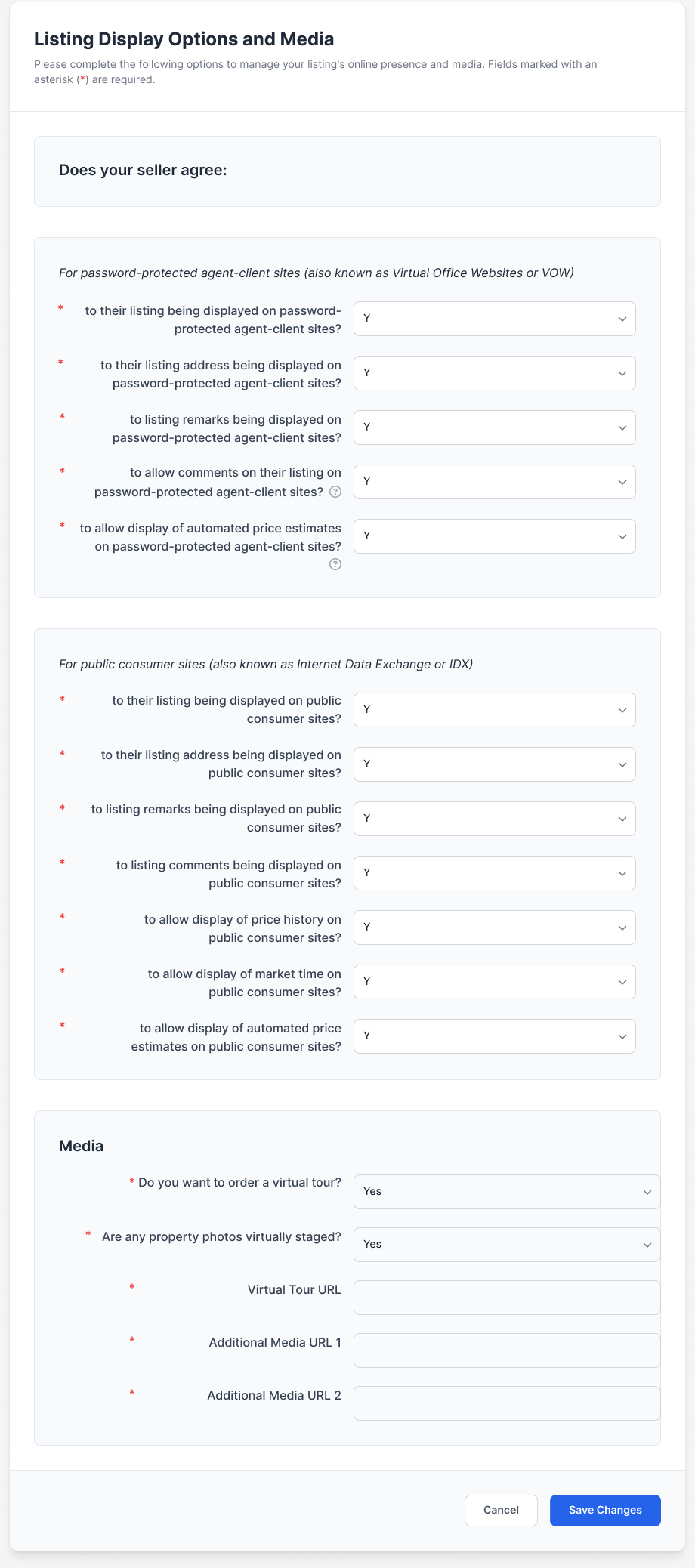
If a seller agrees to display their standard listing via a VOW feed, then the seller will have additional choices regarding how their standard listing will display on public consumer websites/portals via an IDX feed.
The seller can decide if they agree to display their standard listing online via an IDX feed. If a seller agrees to display their standard listing on an IDX feed, the seller has additional controls around whether to:
- Display their listing address
- Display the listing remarks
- Allow for comments
- Allow the price history to display
- Allow the market time to display
- Allow for automated price estimates of their property
Each of these fields can be individually controlled based on the seller’s direction.
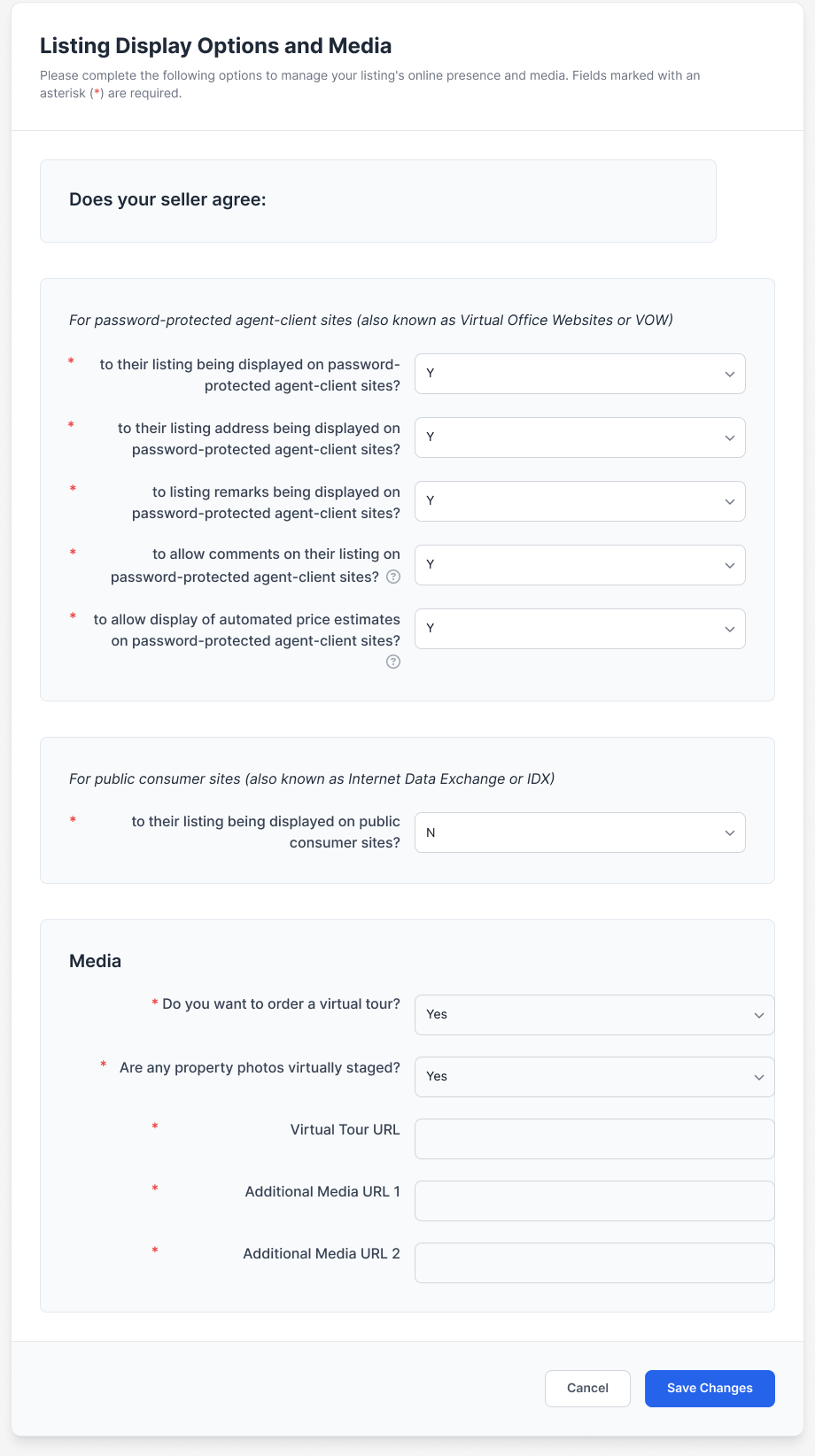
If a seller chooses not to display their standard listing outside of the MLS via a VOW feed, then answering “No” to the VOW display question will hide all remaining fields and the standard listing will not display anywhere online outside of the MLS. The IDX display will default to No.
Click to expand examples of the Listing Display Options and Media tab
See below for an example of what it looks like when someone selling their home agrees to display the standard listing outside of the MLS via VOW and IDX feeds.
See below for an example of what it looks like when someone selling their home agrees to display the standard listing outside of the MLS via a VOW feed ONLY.
See below for an example of what it looks like when someone selling their home does not agree to display the standard listing outside of the MLS via VOW and IDX feeds.
What forms are changing?
Once these new listing display options and questions are available in MRED, we will publish revised forms to assist you in receiving your seller’s written direction on how their listing will display outside of the MLS.
The revised forms are listed below. Click each form to learn more about the upcoming updates.
Exclusive Right to Sell Listing Agreement
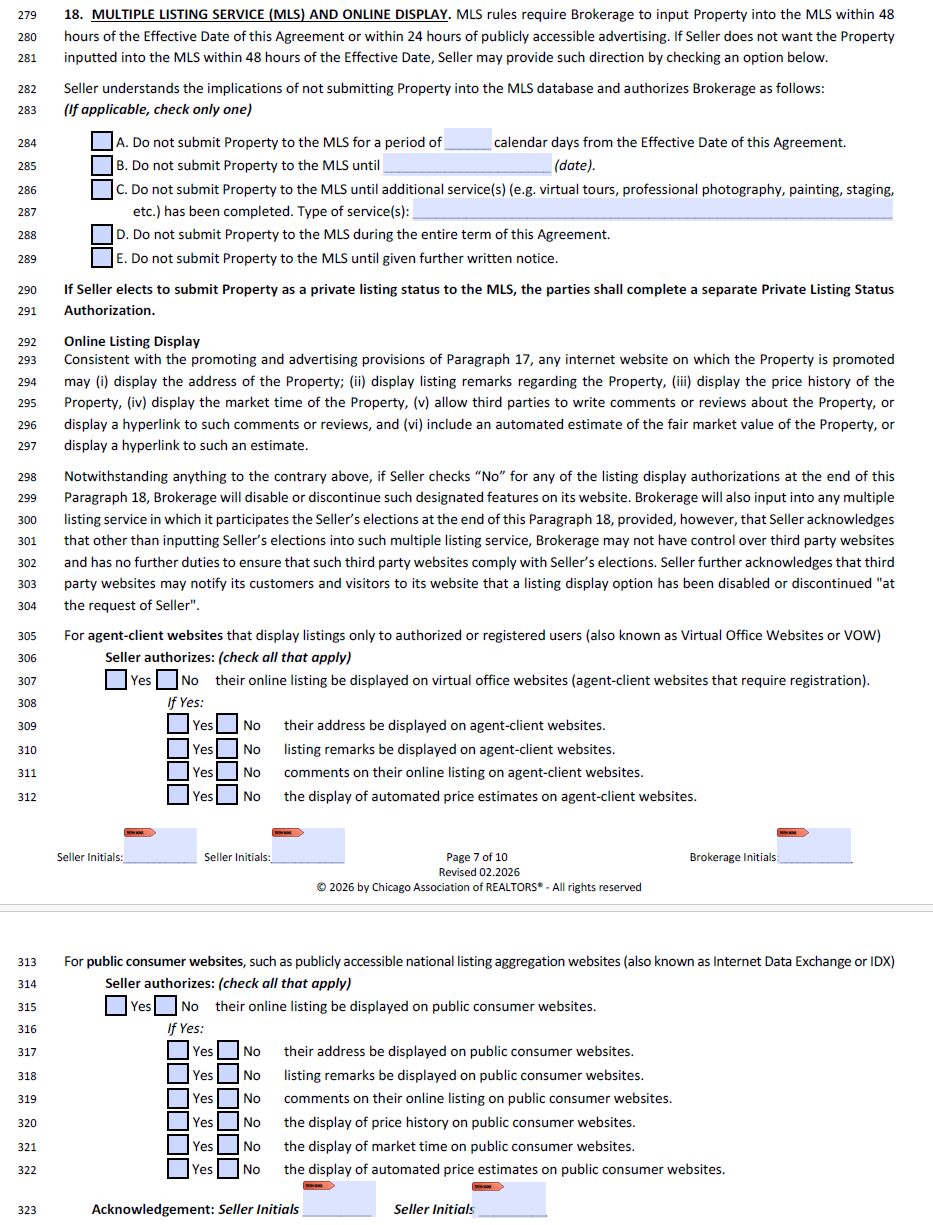
The existing paragraph in the listing agreement for Multiple Listing Service (MLS) has been updated to Multiple Listing Service (MLS) and Online Display. A new section titled Online Listing Display discusses the choices a seller has regarding how their listing will display online outside of the MLS. Additionally, this paragraph has important language for the brokerage, which states that other than inputting the seller’s choices correctly into the MLS, the seller acknowledges that the brokerage has no control over third-party websites and has no further obligation to ensure those third-party websites comply with the seller’s direction. MRED holds ultimate responsibility in ensuring its web partners display MRED listing data correctly and in accordance with their rules.
New sections specific to agent-client websites (VOW) and public consumer websites (IDX) allow for the seller to indicate how they wish their listing to display online. The questions are intentionally similar to how they will display within MRED during a standard listing entry.
Exclusive Rental Listing Agreement
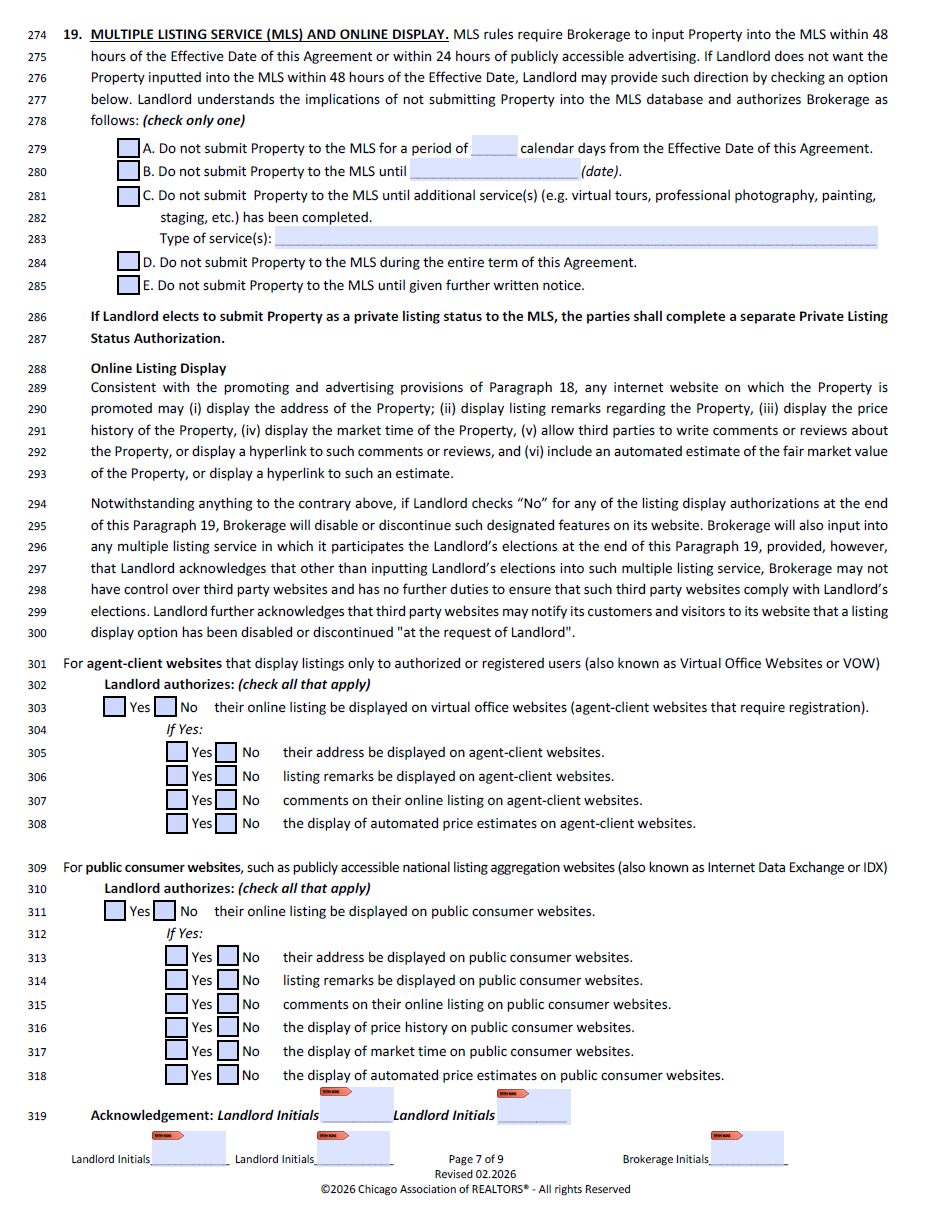
The same updates to the for sale listing agreement were made to the rental listing agreement. These new listing display options within MRED will be available for all property types, including rentals.
Private Listing Status Authorization
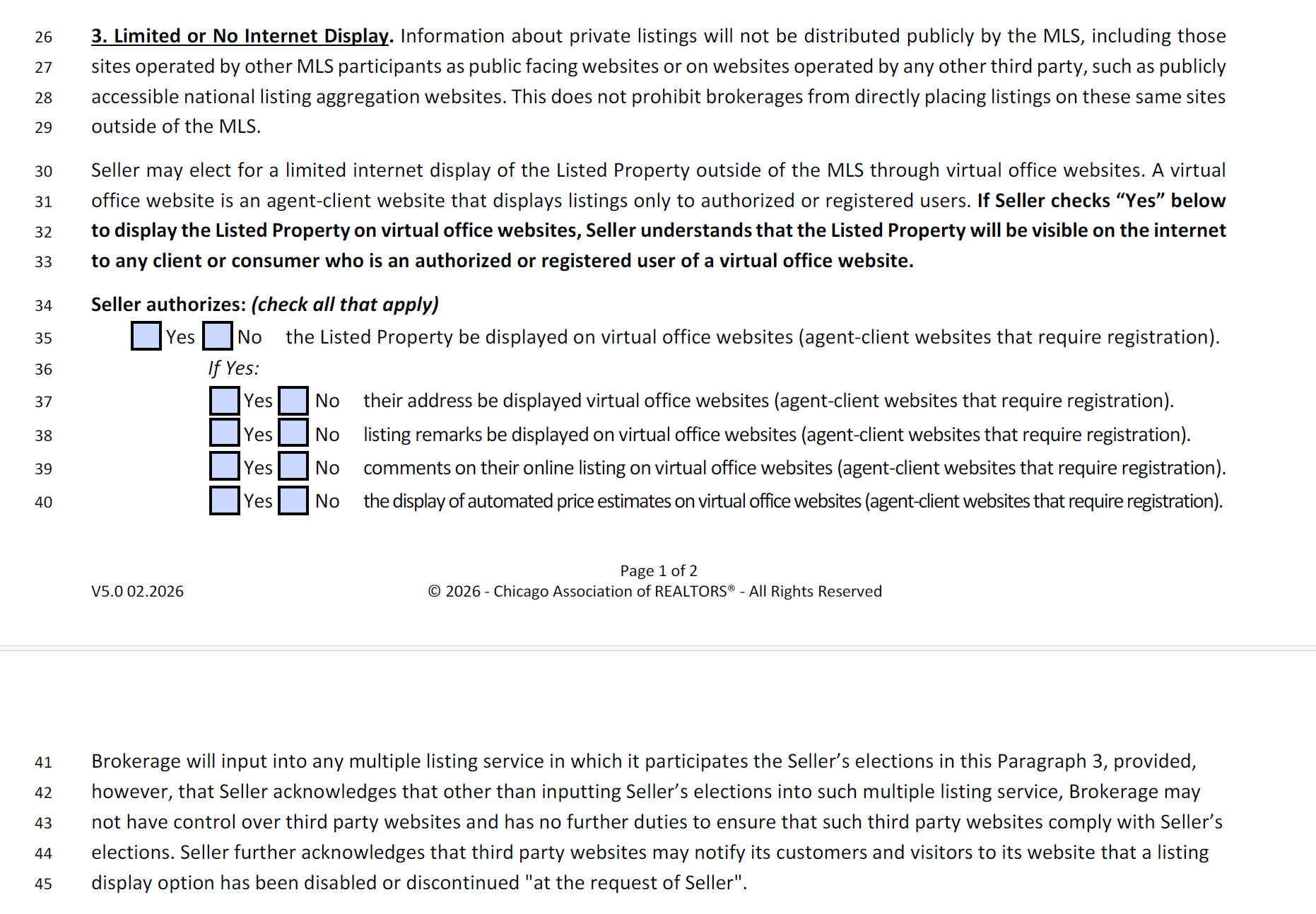
The Private Listing Status Authorization form has a new paragraph titled Limited or No Internet Display. This new paragraph explains to a seller that private listings are not distributed on public websites, but that a seller may authorize limited online exposure outside of the MLS via a VOW feed. Because a seller might choose to put their listing in a private status because they do not want it displayed online, a bolded statement states that if the seller checks “Yes” to display on virtual office websites, they understand that their property will display online outside of the MLS.
This new section and its questions are intentionally similar to how they will display within MRED during a private listing entry.
What are VOW and IDX?
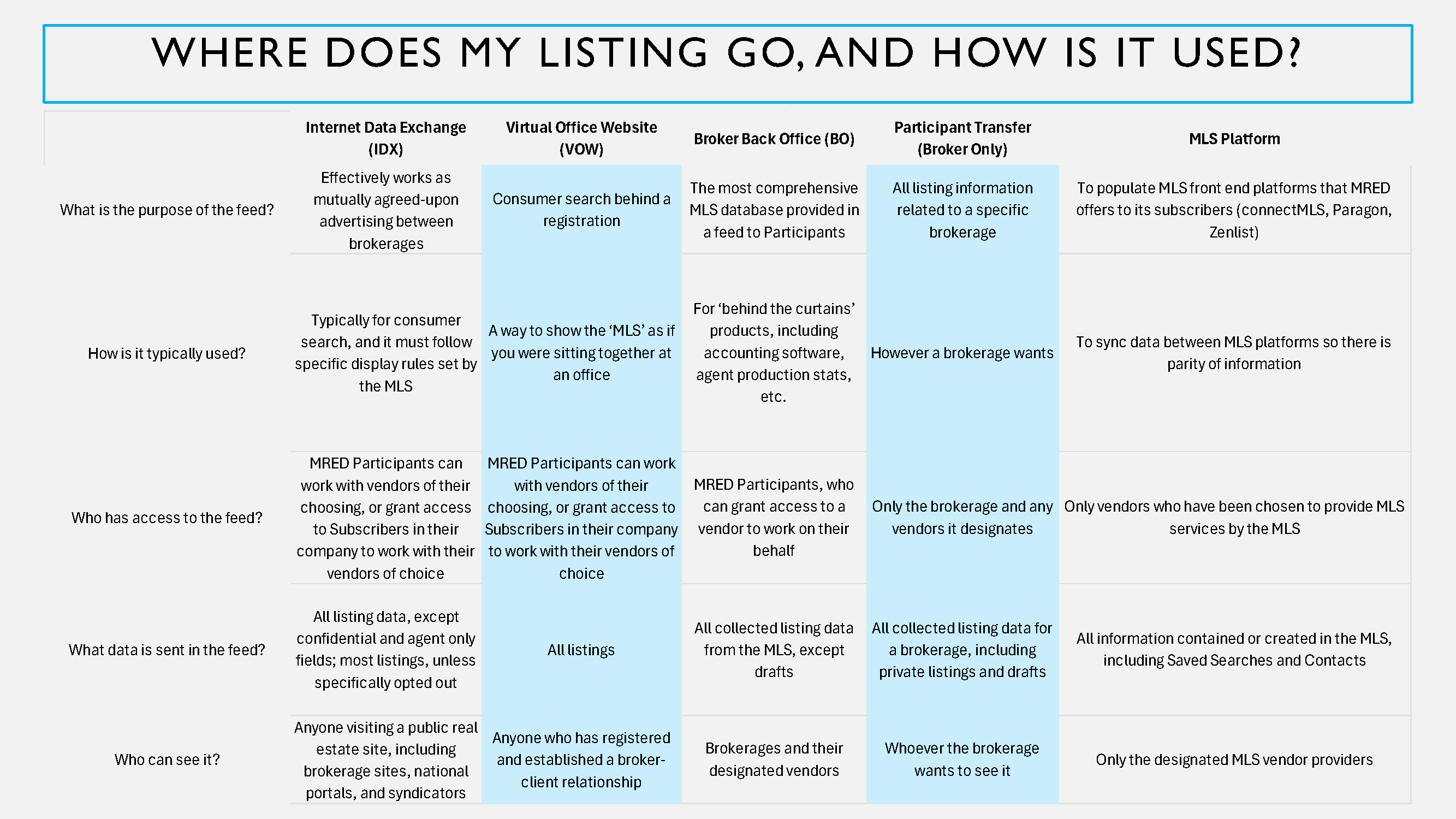
MRED offers multiple data feeds that vary depending on its purpose and who is receiving the data. Below is a table that explains the differences in listing data feeds.
Glossary:
- IDX = Internet Data Exchange
- VOW = Virtual Office Website
- BO = Broker Back Office
- Participant Transfer (Broker Only)
- MLS Platform
Click here to expand the image. If reading on mobile, pinch to Zoom in!
Why is MRED making these Changes?
MRED’s goal is to provide choice to sellers on how their listings display online. While there are a lot of new fields for both private and standard listings, they allow for customized online display controls for each seller and listing.
Who Do I Contact with Questions?
All of these listing display controls and data feeds are managed by MRED. Their help desk is available to assist with how to complete these new fields, how data is sent from MRED, how/why these new fields were developed or any follow-up questions you may have.
MRED Help Desk
Email: help.desk@mredllc.com | Phone: (630) 955-2755
- Monday – Friday: 8:00 AM – 6:00 PM
- Saturday: 9:00 AM – 3:00 PM
- Sunday: On Call Emergencies: 10:00 AM – 2:00 PM
For questions regarding the new forms and contracts, you can contact us at membership@chicagorealtor.com.